

0x2460a05cC7C9e0f1e20B9b98C6F54aCaad221b98 (same address on all chains)
The contract is verified on all chains. Since it uses the Diamond proxy pattern (EIP-2535), you’ll interact with it through the special “Diamond Proxy” tab on the block explorer.
Block Explorer Links
Navigating the Diamond Proxy on Etherscan
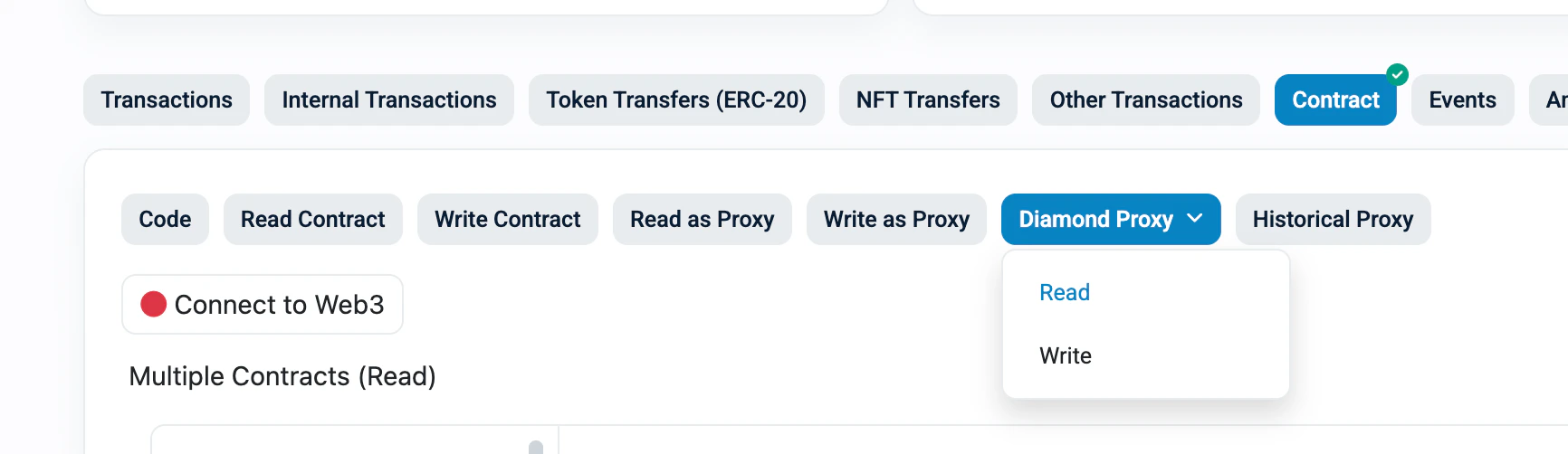
Diamond proxy contracts have a special “Diamond Proxy” button on the block explorer. This is different from the regular “Read/Write as Proxy” tabs.How to access Diamond Proxy functions
- Go to the Diamond246 contract page
- Click the “Contract” tab
- You’ll see several sub-tabs — find the “Diamond Proxy” button (highlighted in blue)
- Click it to reveal a dropdown with Read and Write
Reading data (Diamond Proxy > Read)
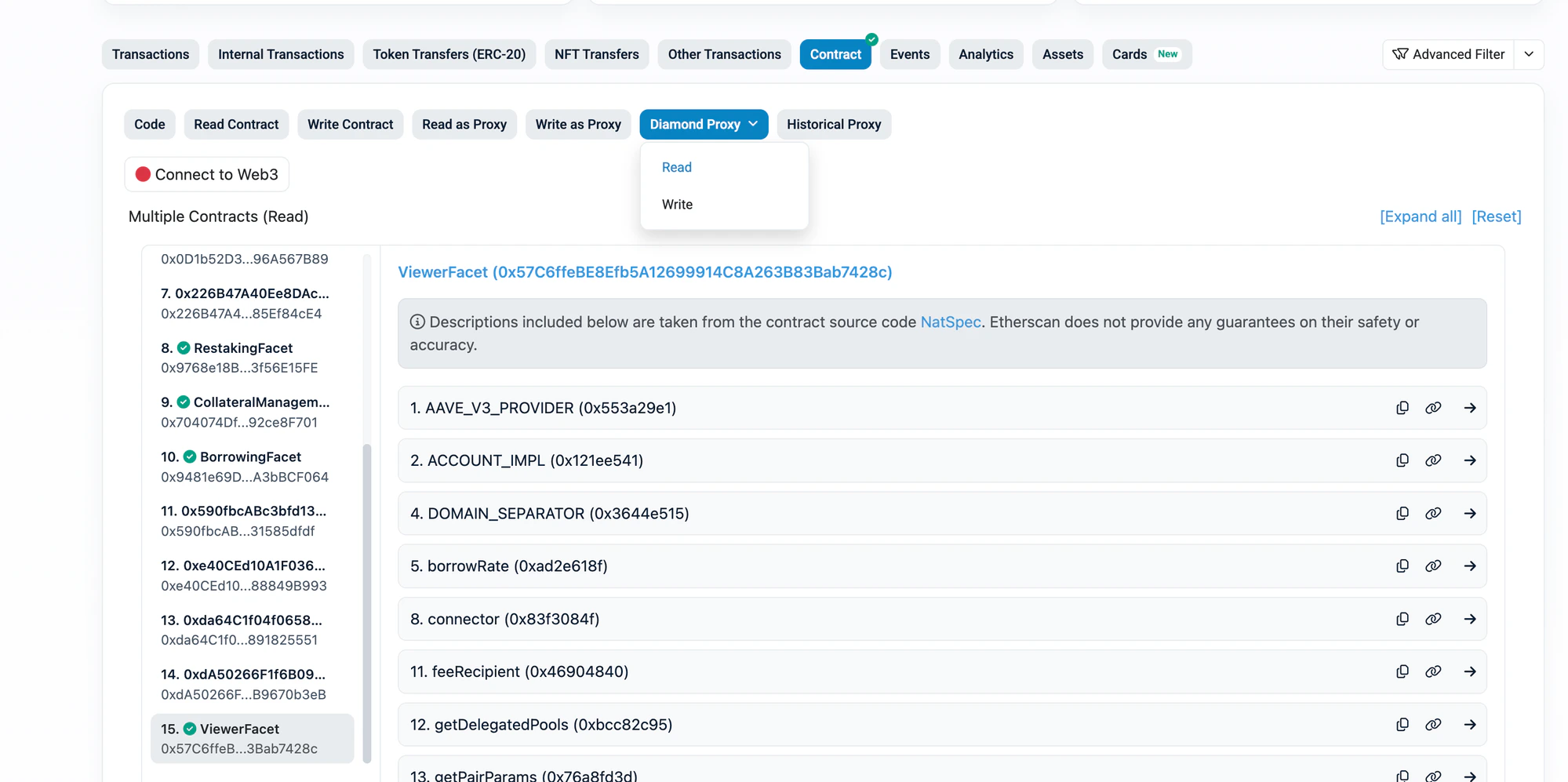
- Click “Diamond Proxy” > “Read”
- On the left sidebar, you’ll see a list of all facets (numbered). Click ViewerFacet for
positions,restakers,pairs, and other read functions - The right side shows all functions in that facet
positions and pairs:
Writing transactions (Diamond Proxy > Write)
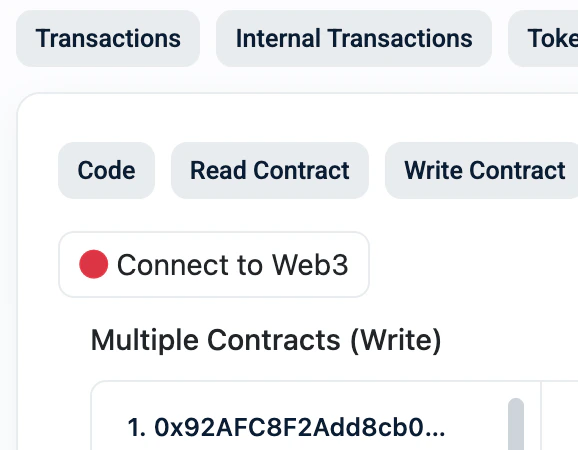
- Click “Diamond Proxy” > “Write”
- Click “Connect to Web3” to connect your wallet
- On the left sidebar, select the correct facet:
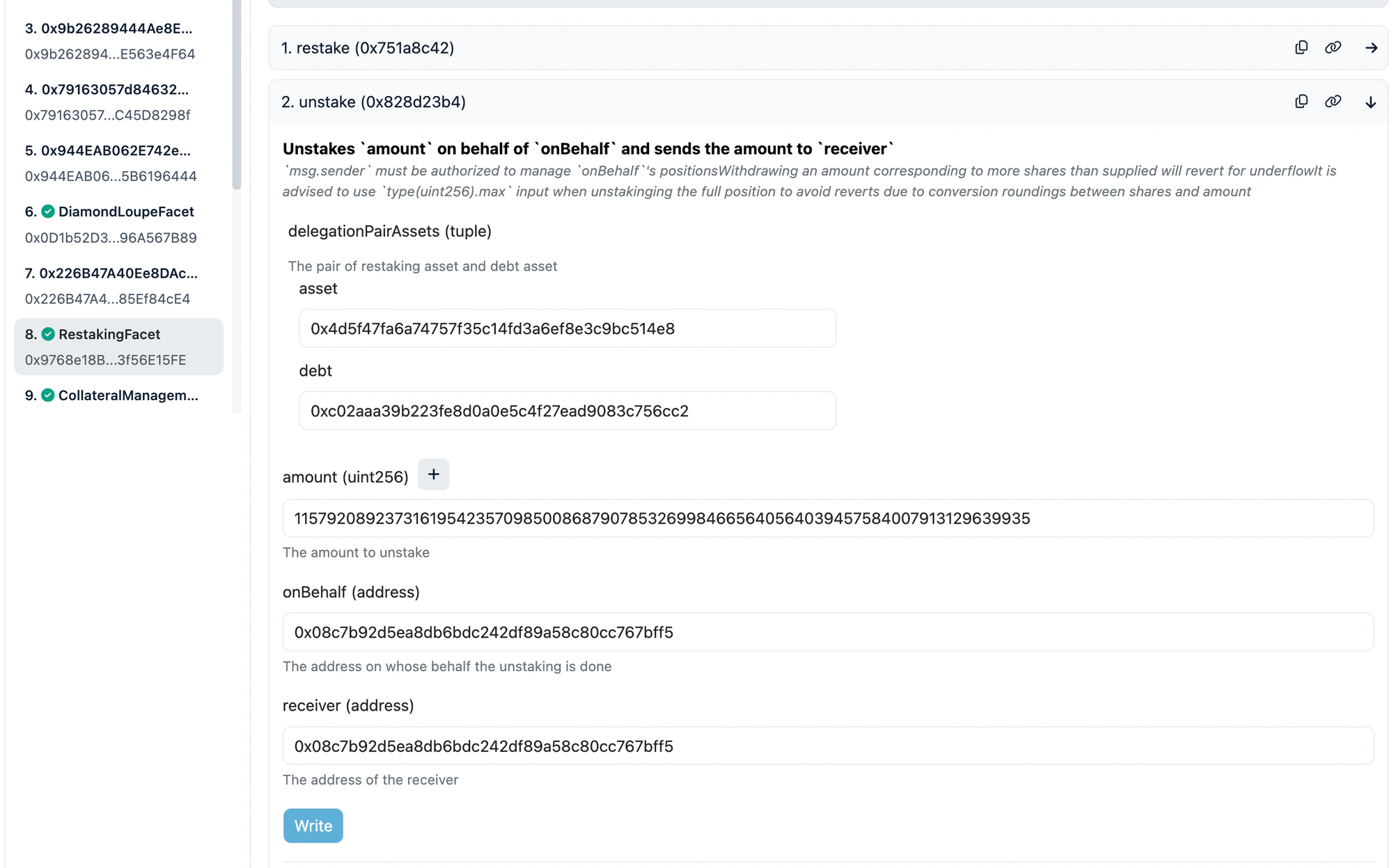
Diamond Proxy Write view — RestakingFacet selected in sidebar, showing
unstake function with input fields:
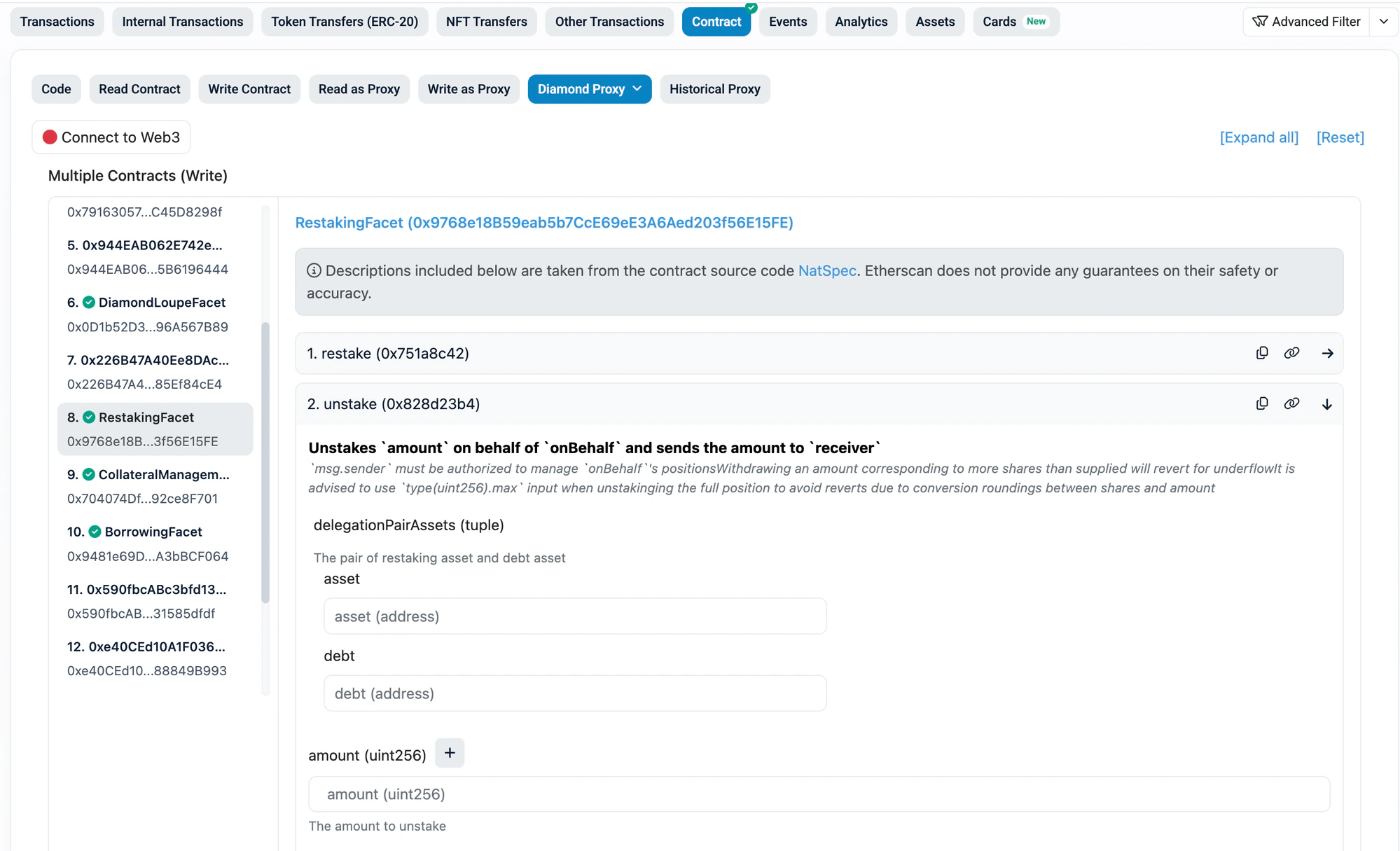
Tip: If you don’t see the function you need, you’re on the wrong facet in the sidebar. Check the table above and click the correct facet name.
1. Find Your Pair ID
Every operation requires a delegationPairId (for restake positions) or pairId (for borrow positions). Find yours from the tables below.Ethereum — Restake Pools
Ethereum — Borrow Pairs
Sonic — Restake Pools
Sonic — Borrow Pairs
Plasma — Restake Pools
Plasma — Borrow Pairs
2. Check Your Positions
- Go to the Diamond246 contract on the block explorer for your chain
- Click “Diamond Proxy” > “Read”
- In the left sidebar, click “ViewerFacet”
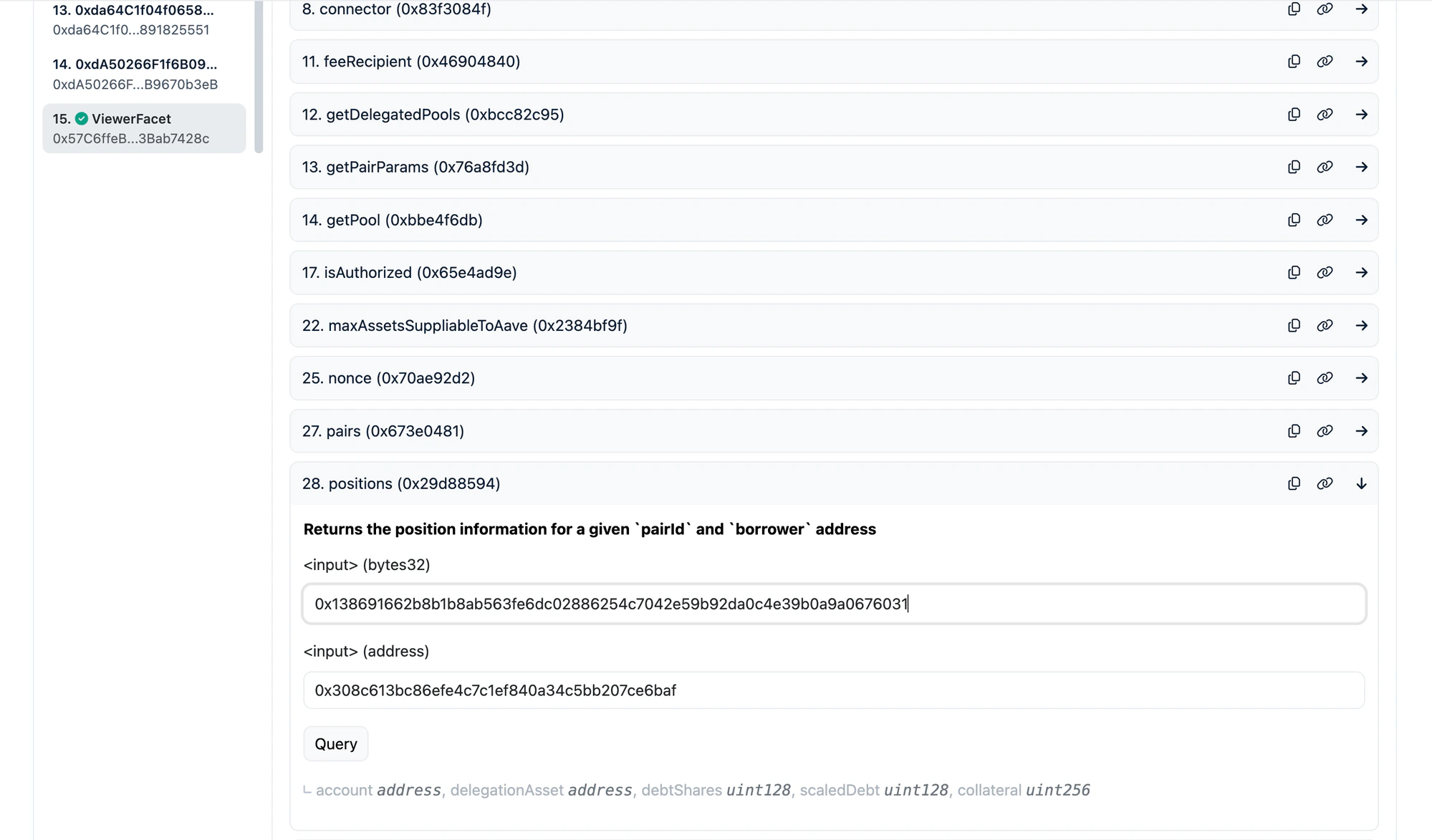
positions and restakers functions:
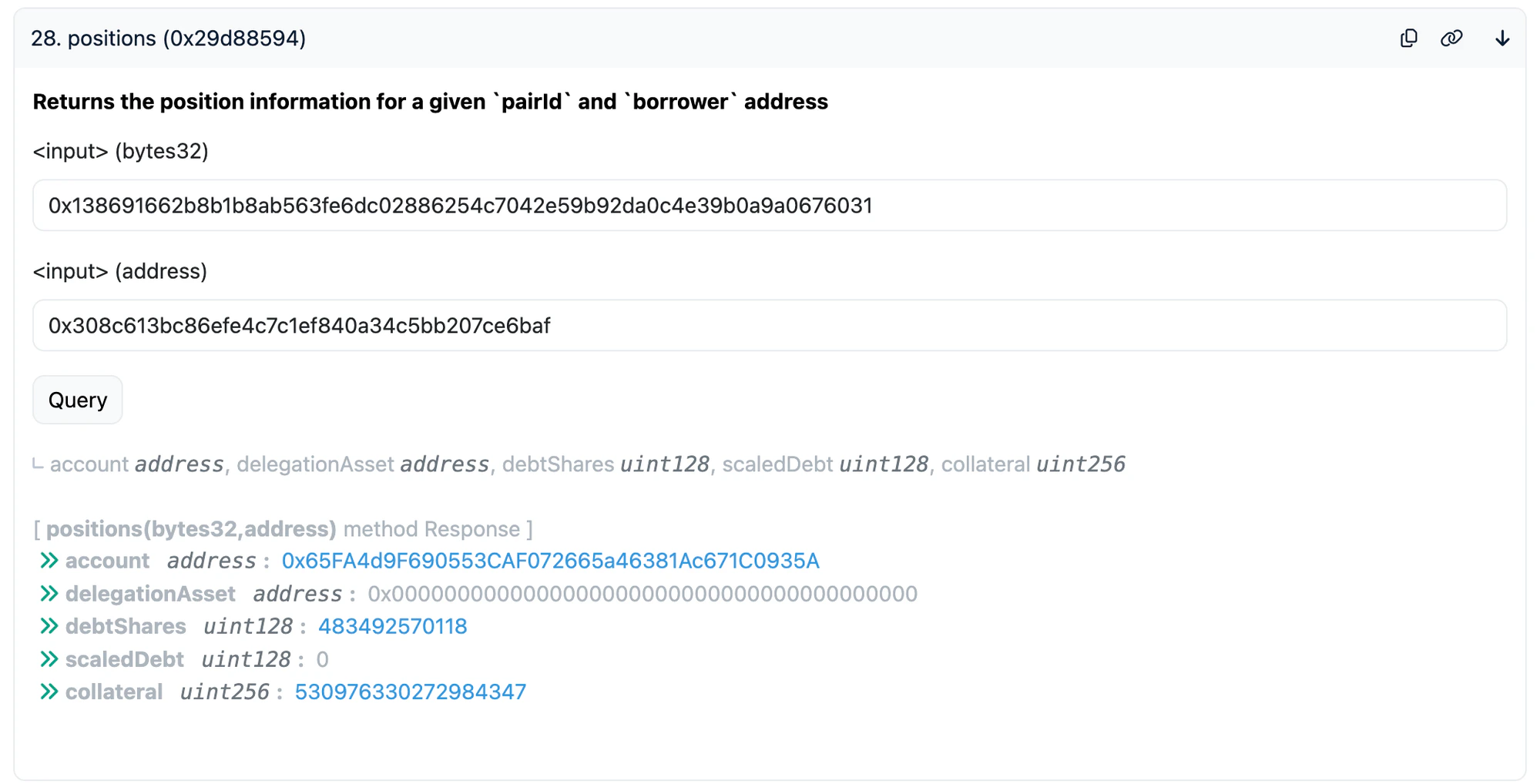
Check Borrow Position
Find and expand thepositions function.
Click Query. You will see:
Example: querying the hyperUSDC/USDC pair (
0x1386...6031) for address 0x308c...6baf — result shows debtShares, scaledDebt, and collateral:
Check Restake Position
Find and expand therestakers function.
Click Query. You will see:
Example: querying the aEthWETH/WETH restake pool (
0xc95d...6459) for address 0x08c7...bff5 — result shows scaledSupply and interest:
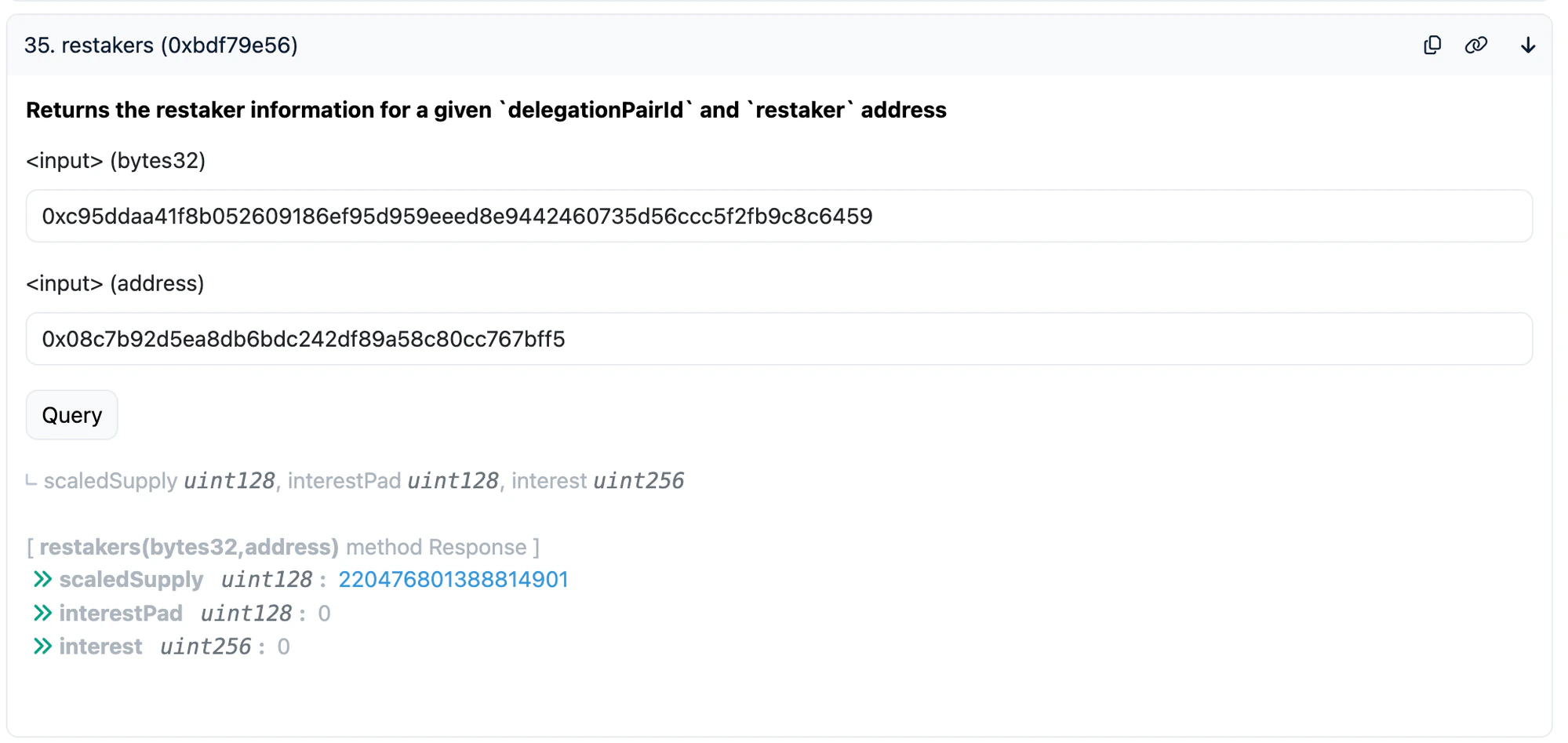
Note:scaledSupplyis RAY-scaled (divided by 10^27 with the liquidity index). The actual amount is approximatelyscaledSupply * liquidityIndex / 10^27.
3. Unstake (Withdraw Restaked Assets)
This withdraws your restaked aTokens (e.g. aEthUSDC, aSonUSDC, aPlaUSDT0) from Diamond246.Step by Step
- Go to Diamond246 on the block explorer
- Click “Diamond Proxy” > “Write”
- Click “Connect to Web3” and connect your wallet
- In the left sidebar, click “RestakingFacet”
- Find and expand the
unstakefunction - Fill in the parameters:
- Click Write and confirm in your wallet
unstake expanded with aToken and debt addresses filled, max amount for full withdrawal:
Token Addresses for unstake
Ethereum
Sonic
Plasma
After Unstaking: Withdraw from Aave
After unstaking, you receive the aToken (e.g. aEthUSDC, aSonUSDC, aPlaUSDT0). To get the underlying token (e.g. USDC), withdraw via the Aave UI: app.aave.com — Go to Dashboard > find your supplied asset > click Withdraw > enter max amount > confirm.3.5. Redeem re-aUSDC (Sonic Only)
If you hold re-aUSDC on Sonic, you need to redeem it to get back your aSonUSDC (aToken). re-aUSDC Contract:0x561d1907dd7C0B92E5278356BC230B7e94704d57
re-aUSDC is an ERC4626 vault. Use withdraw to get back an exact amount of aSonUSDC.
Step by Step
- Go to the re-aUSDC contract on Sonicscan
- Click “Read Contract” > find
maxWithdraw> enter your wallet address > click Query - Copy the returned value — this is the maximum aSonUSDC you can withdraw
- Switch to the “Write Contract” tab > “Connect to Web3”
- Find and expand the
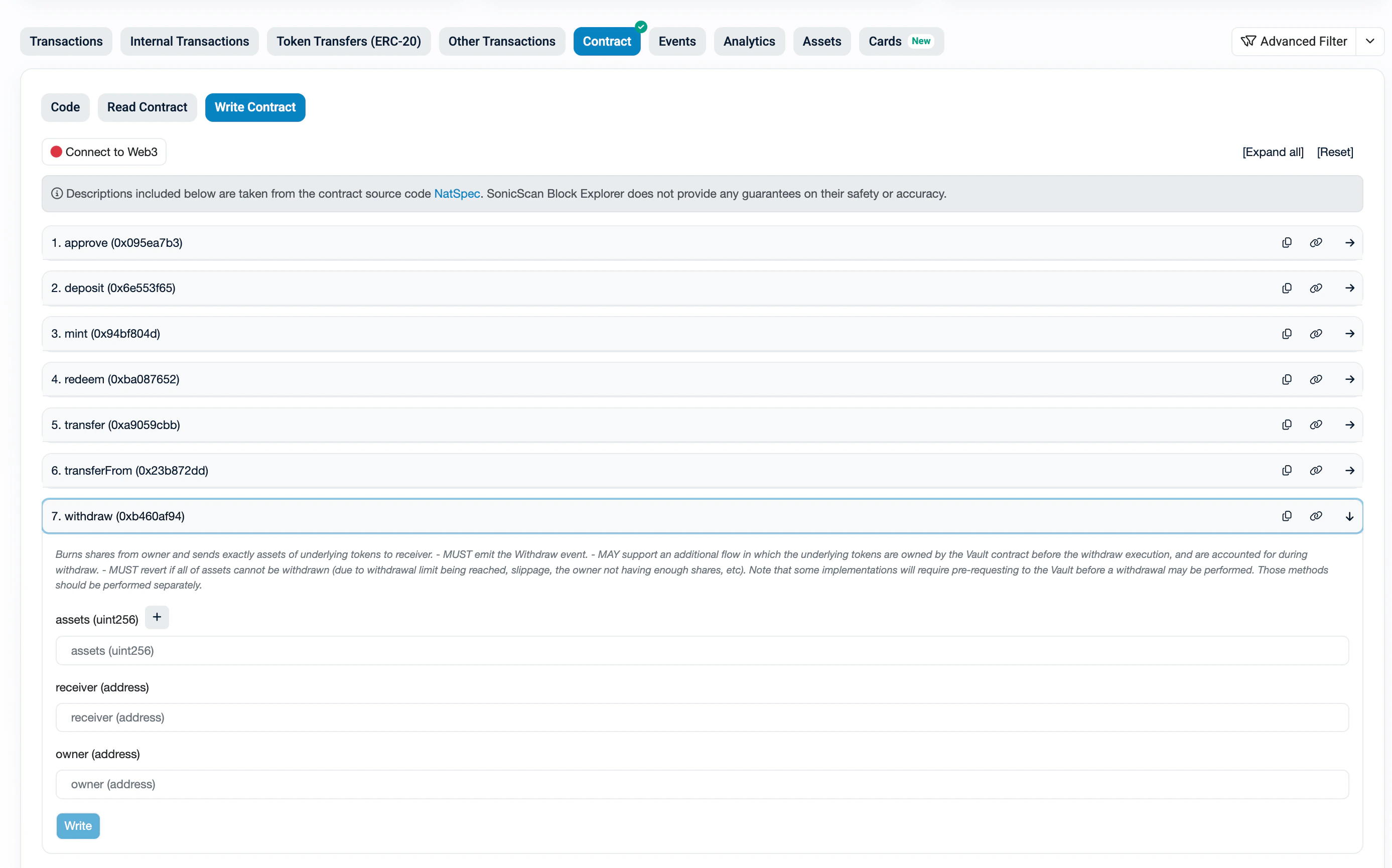
withdrawfunction - Fill in:
- Click Write and confirm
withdraw function expanded with assets, receiver, and owner fields:
4. Repay Debt
If you have an outstanding borrow position, you must repay the debt before withdrawing collateral.How much debt do I owe?
Your debt amount can be calculated from on-chain data:- Go to Diamond246 > “Diamond Proxy” > “Read”
- Call
positionswith your pairId + wallet address — note yourdebtShares - Call
pairswith the same pairId — notetotalDebtSharesandtotalScaledDebt
(debtShares × totalScaledDebt) / totalDebtShares
Note: This gives you an approximate amount in the token’s smallest unit (e.g. 6 decimals for USDC, so100000000= 100 USDC). The actual debt accrues interest over time, so approve a bit more than this estimate (e.g. add 1%). Therepayfunction only transfers the exact amount owed — any excess stays in your wallet.
Step 1: Approve Diamond246
Before repaying, you need to approve Diamond246 to spend your debt token.
Tip: Don’t approve max uint256 if you’re uncomfortable with unlimited approvals. Instead, approve an amount slightly above your estimated debt. The repay function only transfers the exact amount owed — any excess approval is not spent.
- Go to the debt token contract on the block explorer (links below)
- Click “Write as Proxy” (for proxy tokens like USDC) or “Write Contract”
- Click “Connect to Web3”
- Find the
approvefunction - Fill in:
- Click Write and confirm
- (Optional) After repaying, you can revoke the approval by calling
approveagain with amount0
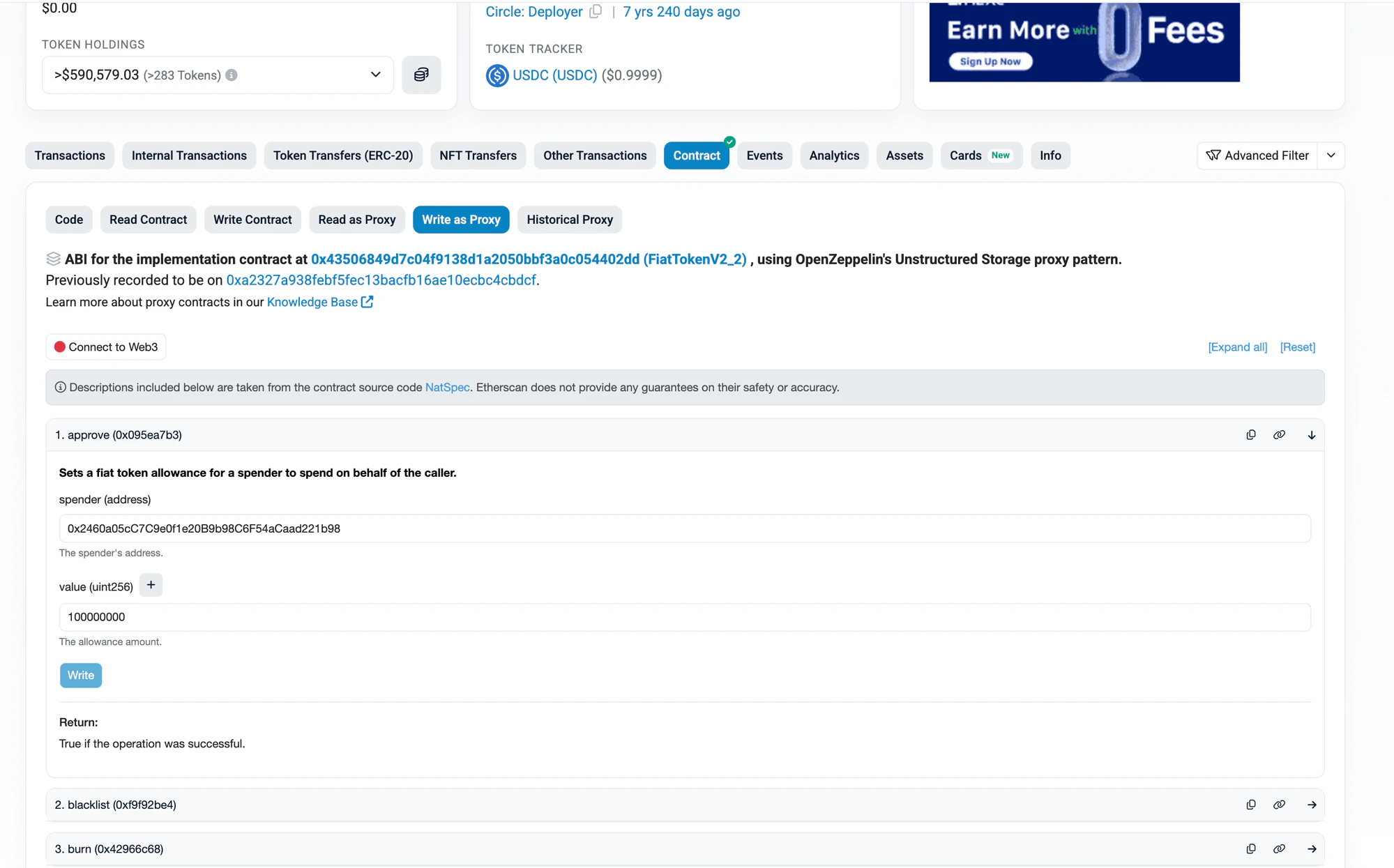
approve expanded with Diamond246 as spender and 100 USDC (100000000) as value:
Debt Token Contracts
Step 2: Repay on Diamond246
- Go to Diamond246 > “Diamond Proxy” > “Write”
- In the left sidebar, click “BorrowingFacet”
- Find and expand the
repayfunction - Fill in:
- Click Write and confirm
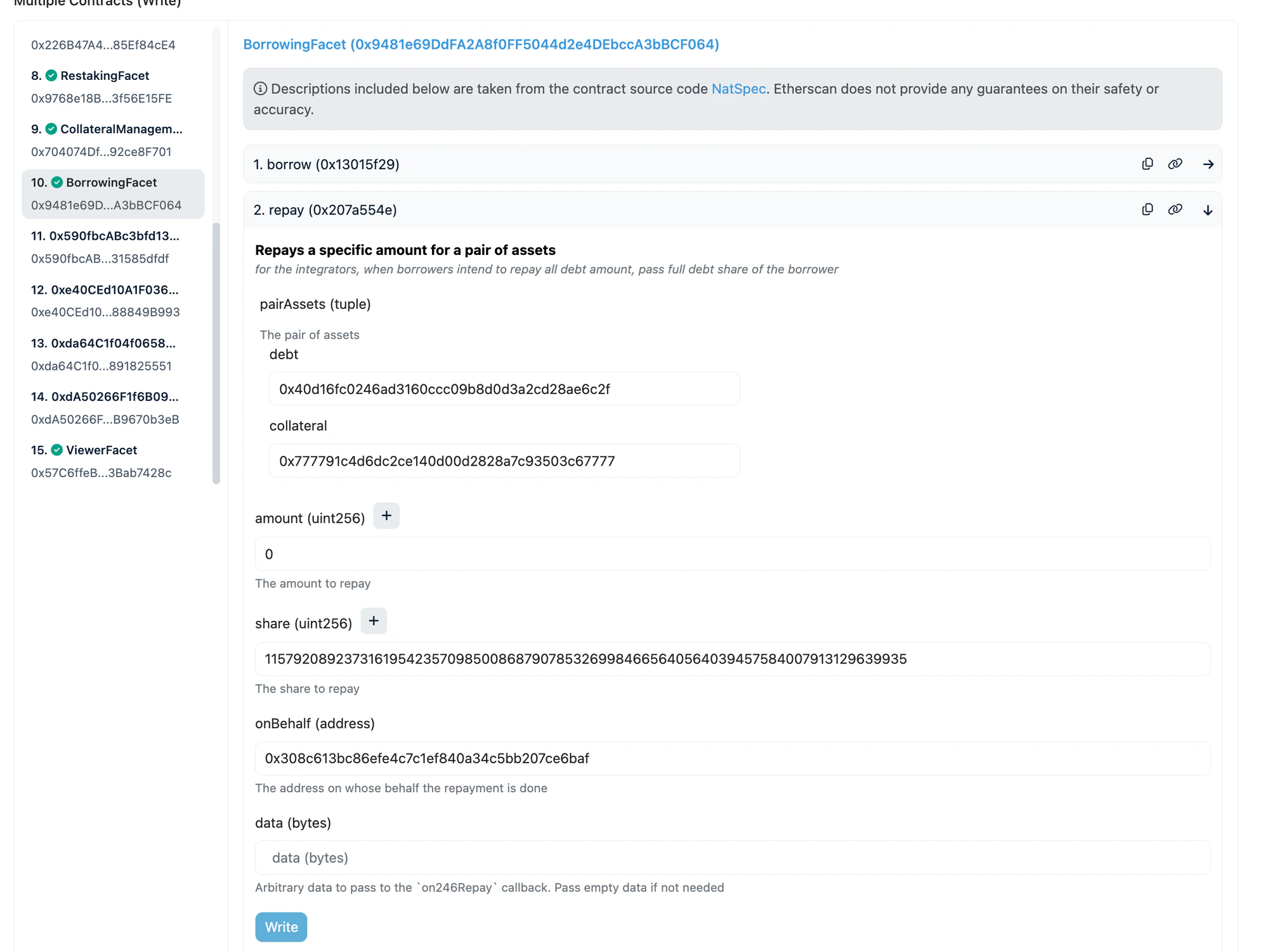
repay expanded with GHO as debt (0x40d1...6c2f), hyperUSDC as collateral (0x7777...7777), amount=0 and share=max for full repay:
Collateral Token Addresses
5. Withdraw Collateral
After repaying all debt, you can withdraw your collateral.Important: You must repay all debt first. If you have outstanding debt, this transaction will revert.
- Go to Diamond246 > “Diamond Proxy” > “Write”
- In the left sidebar, click “CollateralManagementFacet”
- Find and expand the
withdrawCollateralfunction - Fill in:
- Click Write and confirm
withdrawCollateral expanded with GHO as debt, hyperUSDC as collateral, exact collateral amount entered:
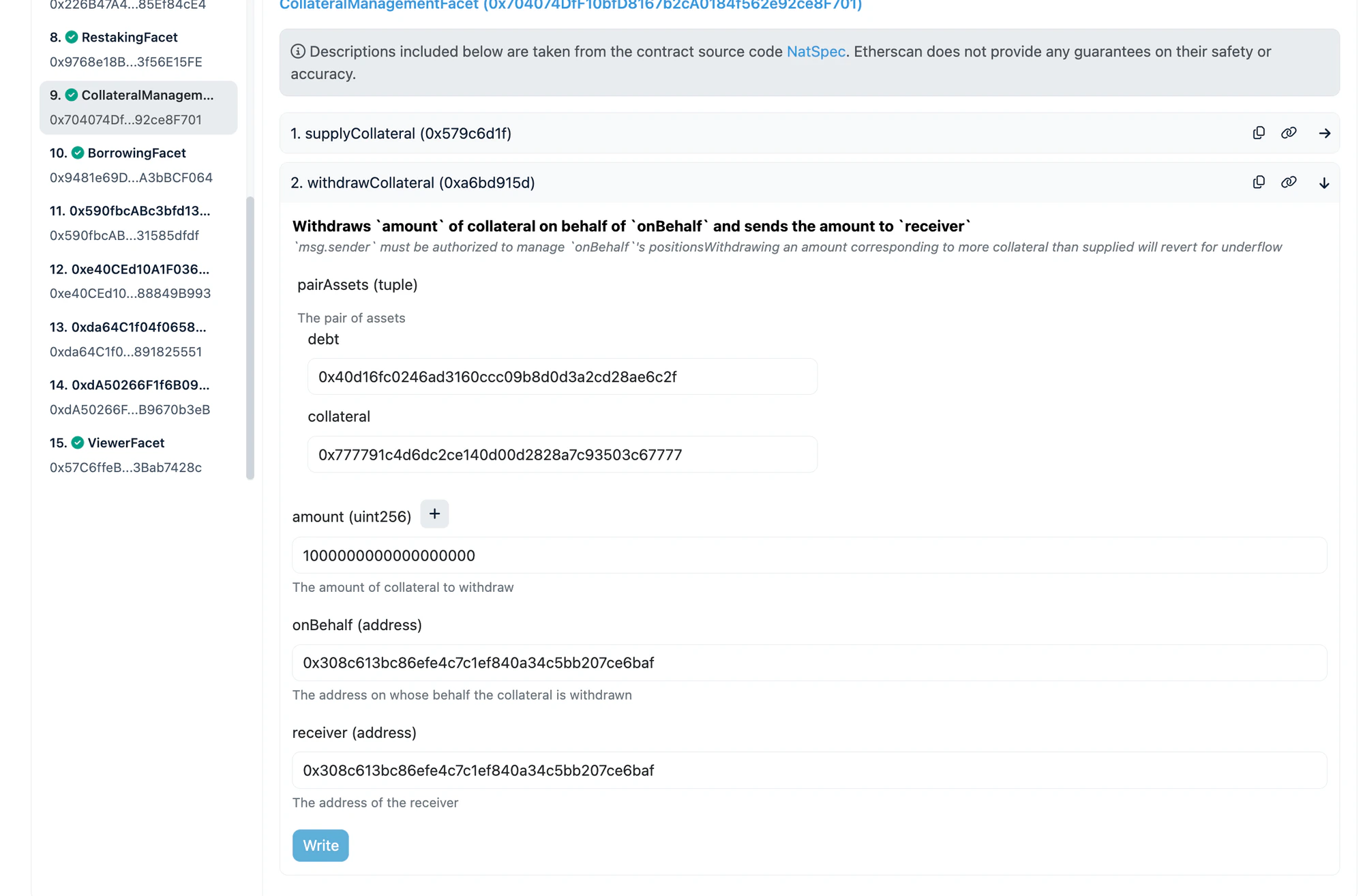
Important: Foramount, use the exactcollateralvalue returned by thepositionsread call in step 2. Do NOT use max uint256 — it will revert.
Quick Reference: Full Exit Flow
Restakers (no borrow position)
- Unstake on Diamond246 (RestakingFacet) — receive aToken
- Withdraw on Aave UI — receive underlying token (USDC, WETH, etc.)
re-aUSDC holders (Sonic)
- Redeem re-aUSDC on Sonicscan — receive aSonUSDC
- Withdraw on Aave UI — receive USDC.e
Borrowers
- Approve debt token for Diamond246
- Repay on Diamond246 (BorrowingFacet) — clear all debt
- Withdraw Collateral on Diamond246 (CollateralManagementFacet) — receive collateral token
Borrowers + Restakers
- Approve > Repay > Withdraw Collateral (borrower exit)
- Unstake > Aave Withdraw (restaker exit)